The website moved to code. The feedback should follow.
Building in the browser should not mean losing the conversation.

“Could we give this a little more space?”
In a design file, that can be a useful comment. It sits beside the heading, card, or button the reviewer means. A designer opens the thread, asks a question, and makes a change. Everyone has a shared point of reference.
Now imagine the same message arriving in a chat while your team works on a running website. Which page? Which heading? At what screen size? Before anyone can adjust the spacing, someone has to reconstruct the request.
That gap is the reason for this story. When the work moves from a design canvas into code, the feedback needs a place to go with it.
The useful habit we learned in Figma
One of the most useful things about reviewing work in Figma is also one of the simplest: you can point at something and start a conversation there. A client does not need to describe a layer hierarchy. A teammate does not need to write a long explanation of where to look.
Figma’s comment tools let reviewers place comments at a location or region in a file or prototype. That turns a vague reference into a visible one. The design and the discussion share the same space.
It is a small interaction with a useful consequence: more people can take part in the review. The person who spots a confusing label can leave a note without needing to know how the design was made.
Then the work moves into code
Some projects move from a finished design file into development. Others take shape directly in a browser, through components, site builders, or AI-assisted coding. An agency may use both approaches on the same project.
Either way, there comes a point when the running website is the thing people need to review. It has real content, responsive layouts, and interactions that a static frame cannot fully describe. A form can fail. A headline can wrap awkwardly. A menu can feel difficult to use on a phone.
If the feedback stays somewhere else, context becomes a separate task. Screenshots arrive in one channel. Decisions sit in another. A developer gets a request that made sense to the sender but no longer has an obvious place on the page.
The place where you build can change. The ease of leaving useful feedback should carry forward.
This does not make the design file less useful. It means the review needs to include the actual website once that is where the decisions are being made.
A useful comment needs more than a sentence
Consider a client reviewing a new pricing page. They want the primary button to stand out more. “Make the button stronger” is a start, but the next person still needs to know which button and what the client was looking at.
A better handoff keeps three things together: the place, the request, and the conversation. The place identifies the page and element. The request explains the desired change. The conversation holds questions and decisions until the team agrees the work is done.
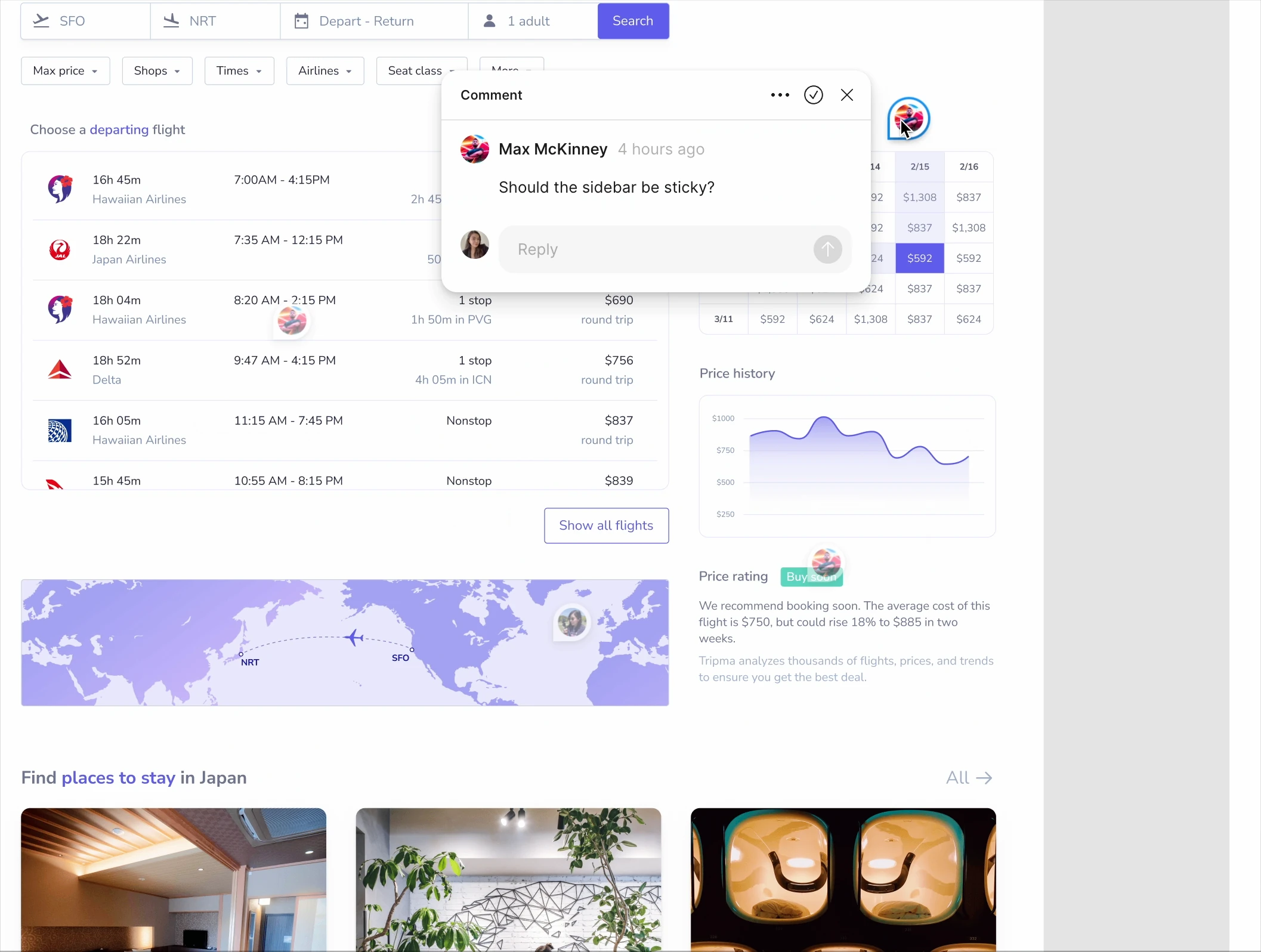
That is the idea behind Overplay’s element-attached website comments. A reviewer pins feedback to the website element. The team discusses it in a thread and resolves it when the change is complete. Saved screenshots can add visual context when element snapshots are enabled and capture succeeds.
For a client, that means less describing where to look. For a designer, it means reviewing the implementation in context. For a developer, it means a clearer starting point for the next change.
A better review loop for a working website
A tool helps most when the team has a simple habit to go with it. Here is a practical way to run a review on a staging site or live page.
- Share the page you want reviewed. Tell reviewers what is ready and what kind of feedback you need. A content review and a final launch check are different conversations.
- Leave one request in each thread. Pin it to the relevant element and explain the intended result. “Make the primary action easier to spot” gives more direction than “This feels off.”
- Ask the follow-up in the same place. Keep the reason for a decision beside the request, so another teammate can understand it later.
- Check the actual change. Update the website, review it at the relevant screen size, and resolve the thread when the result is agreed. Reopen it if it needs another pass.
The review still needs judgment. A comment does not decide whether a change is right, and a resolved thread does not replace testing. It gives the team a shared record of what was asked, discussed, and addressed.
A place for everyone in the review
Designers, developers, project managers, and clients look at the same website with different questions. One notices rhythm and spacing. Another checks behavior. Someone else knows whether the words match what customers need.
A useful feedback process gives those observations a common place. It should not require every reviewer to learn the development tools before they can contribute.
That is the continuity we want Overplay to bring: the familiar ease of pointing at something and leaving a comment, carried into the website your team is actually building. Whether the first idea started in Figma or directly in code, the conversation can stay close to the work.
Bring the conversation to your website.
See how pinned comments help your team and clients review a real page together.
See How Overplay WorksThe review scenarios are illustrative. Figma’s commenting behavior is described in its official documentation. Overplay is an independent product.

Website feedback, pinned to the right place.